WordPress plugin
ExpertWP Cache
- Version2.0.9
- Last updatedOctober 24, 2026
- Licence1 year, renews yearly
- Licence keyInstantly after payment
- PaymentCard or bank transfer
Overview
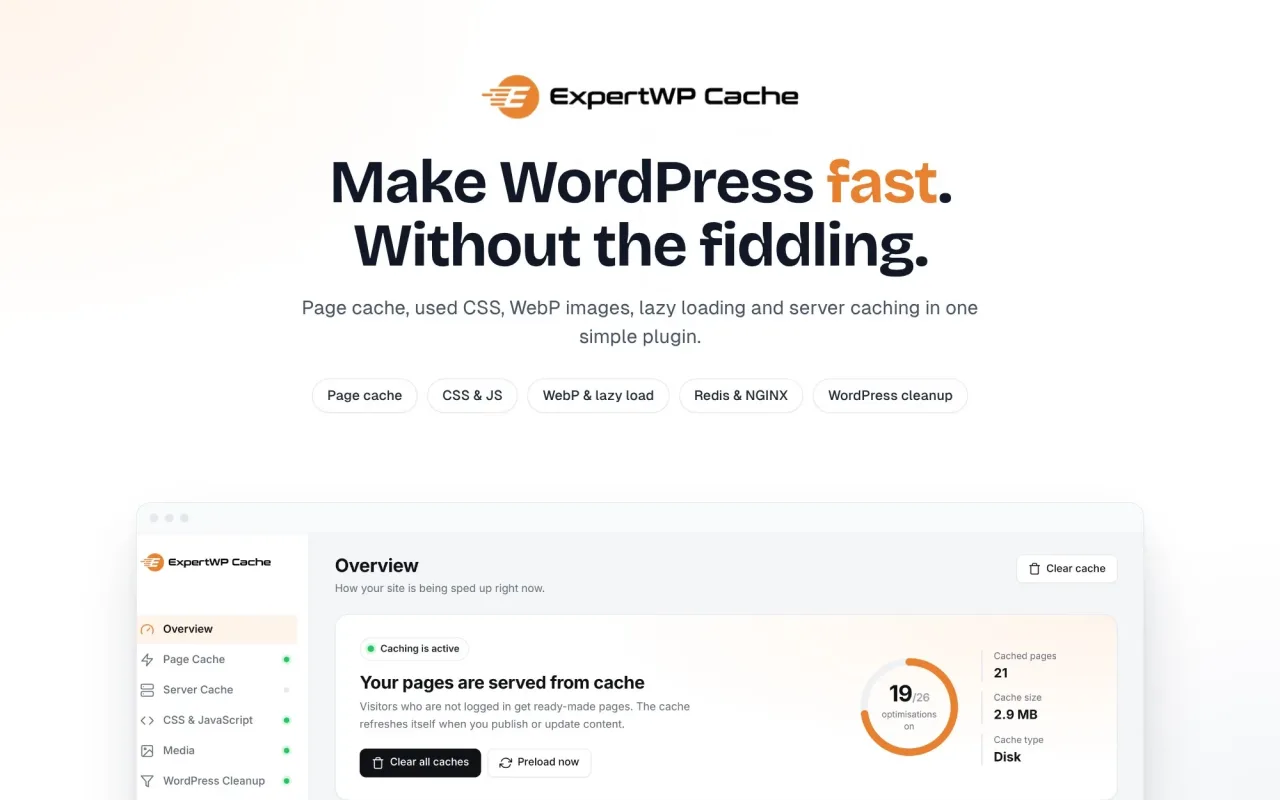
Make WordPress fast, without the fiddling
ExpertWP Cache is the speed plugin made for the ExpertPulse theme, and it works with any WordPress theme. Page caching, lighter CSS and JavaScript, WebP images, lazy loading and server caching come in one plugin with clear switches, so you don’t need five separate optimisation plugins.
Try it free for 14 days. No licence key needed to start.
Why site owners choose ExpertWP Cache
- Fast from the first click. Pages are saved as static HTML and sent before WordPress even loads, usually in a few milliseconds.
- Always up to date. The cache refreshes itself when you publish, edit, get a comment or change menus, widgets or theme settings.
- Simple to use. One dashboard shows what’s on, how many pages are cached and what to turn on next. ExpertPulse users can turn on the recommended settings in one click.
- Safe for your visitors. Logged-in users, searches, previews, password-protected posts and carts always get live pages.
Page caching
- Static page cache served before WordPress loads, with GZIP copies.
- Preloading from your sitemap in small background batches, so the first visitor gets a cached page too.
- Browser caching and GZIP rules for Apache and LiteSpeed.
- Redis object cache and NGINX FastCGI cache for servers that offer them, with a setup check and the NGINX configuration written for you.
CSS & JavaScript
- Minify HTML, CSS and JavaScript, with optional combining.
- Used CSS only: each page carries just the CSS it needs, so nothing blocks the first paint.
- Above-the-fold CSS, worked out automatically for each page when it is cached.
- Defer scripts, or delay them until the visitor interacts (jQuery included).
Images & video
- WebP conversion and image compression on upload, plus bulk tools for your existing library.
- Lazy loading for images, loaded only when they’re about a screen away.
- Click-to-play embeds: YouTube, Vimeo, Spotify, Apple Music, Audiomack and other players show a light preview and load only when clicked.
WordPress cleanup
- Remove the emoji script, Dashicons for visitors, block library styles, global styles and other files WordPress loads on every page, one switch per file with its size shown.
Easy to manage
- A Cache menu in the toolbar, on the dashboard and on your site: clear everything, just this page, the NGINX cache or the object cache. It clears in the background and you stay on your page.
- One-click updates from your WordPress dashboard.
- Settings backup to move your setup to another site.
Licence and support
- 14-day free trial that starts when you activate the plugin.
- Yearly licence with updates and support included. A reminder appears 30 days before it renews.
- If a licence isn’t renewed, everything keeps running for 7 more days. After that the optimisations pause, but your settings are kept and your site keeps working normally. Renewing turns everything back on straight away.
- Licences for 1, 3 or 5 sites. Save when you buy it with ExpertPulse.
Privacy
Only the licence key, your site address, the product name and the plugin version are sent to expertwp.io, to check the licence and offer updates. No visitor data is ever sent.
Requirements
- WordPress 6.0 or newer
- PHP 7.4 or newer (8.1+ recommended)
- Optional: Redis server for the object cache, NGINX for the FastCGI cache
Changelog Latest 2.0.9
2.0.9 — Cloudflare page caching and reset settings
New: Cloudflare (Settings → Cloudflare)
- Faster pages worldwide: connect with a Cloudflare API token, and whole pages are served from the Cloudflare data centre nearest each visitor. Pages start loading much sooner everywhere.
- One cache rule, added for you. It skips:
- the admin, the login page, the REST API and feeds
- carts and checkout
- logged-in users, comment authors and password-protected posts
- addresses with a query string
- Always fresh: Cloudflare is emptied automatically whenever ExpertWP Cache clears. That happens when you publish or edit, a comment is approved, you change menus, widgets or the theme, or you click Clear cache. Only the changed pages are emptied, or the whole zone when needed.
- Check home page: loads your home page through Cloudflare and shows HIT or MISS. It tells you when the DNS record isn't proxied (grey cloud) and explains what is stopping a page from being cached.
- One screen: turn it off, empty Cloudflare or disconnect from the same place. Disconnecting removes the cache rule again.
- Secure: only API tokens are accepted, not the Global API key. The token is stored encrypted and never shown again.
New: Reset settings (Tools)
- Puts every setting back to how a fresh install starts. Your licence and Cloudflare connection are kept.
- The previous settings are saved and can be restored with one click.
Fixes
- Fixed: PageSpeed Insights reported "Largest Contentful Paint: Error (NO_LCP)" on some sites with 2.0.8. Pages are optimised exactly as in 2.0.7 again.
- Faster update notices: new versions show up straight away on the Plugins and Updates screens.
2.0.8 — Shorter critical path
- With Above-the-fold CSS on, the fonts the top of the page uses are now loaded right away, next to the main image, instead of last.
- The full stylesheets that load after the page now download at low priority and no longer count as critical requests.
2.0.7 — Shorter cache times for pages that need them
- A page can now ask for a shorter cache time than the usual 12 hours (developers: the
expertwp_cache_page_ttlfilter). - ExpertPulse uses this to refresh posts with Force Current Date/Time for SEO every 15 minutes to 3 hours, so the date stays current.
2.0.6
- When the trial or licence ends, ExpertWP Cache locks: caching and every feature stop (including Redis and the .htaccess rules) and the settings can't be changed. A licence key turns everything back on with your settings as they were.
- A yearly licence that isn't renewed locks on its end date.
2.0.5
- Fixed: the image tools stopped with "Something went wrong" when one image was too large for the server. That image is now skipped and named, and the job carries on.
- New: Tools → Debug log records every failure with the image, the PHP error and memory used, to copy or download for support.
- Fixed: "Custom play button" and "Embeds to skip" showed "0" after updating from older versions.
2.0.4
- New versions show up on their own: checked every hour, and when you open the dashboard.
- Updates are included in the free trial.
- A clean update notice with Update now and What's new.
2.0.3
- Fixed: a critical error on sites where the CSS/JS minify library was missing after an update. The library is now included, and if it is ever missing the plugin skips minifying instead of stopping the site.
2.0.2
- New Cache menu in the toolbar: Clear all caches, Clear this page, Purge NGINX cache, Clear page cache, Clear CSS & JS, Flush object cache, Preload and Settings, showing only what your site uses.
- Clearing runs in the background with a confirmation, so you stay on your page.
- Fixed: Purge NGINX cache sent you to the Dashboard without a message.
2.0.1
- Yearly licence with renewal reminders 30 and 7 days before it ends, and a 7-day grace period after.
Reviews
No reviews yet. Customers who bought this product can leave the first one.
Reviews are written by customers. Sign in to review a product you bought.