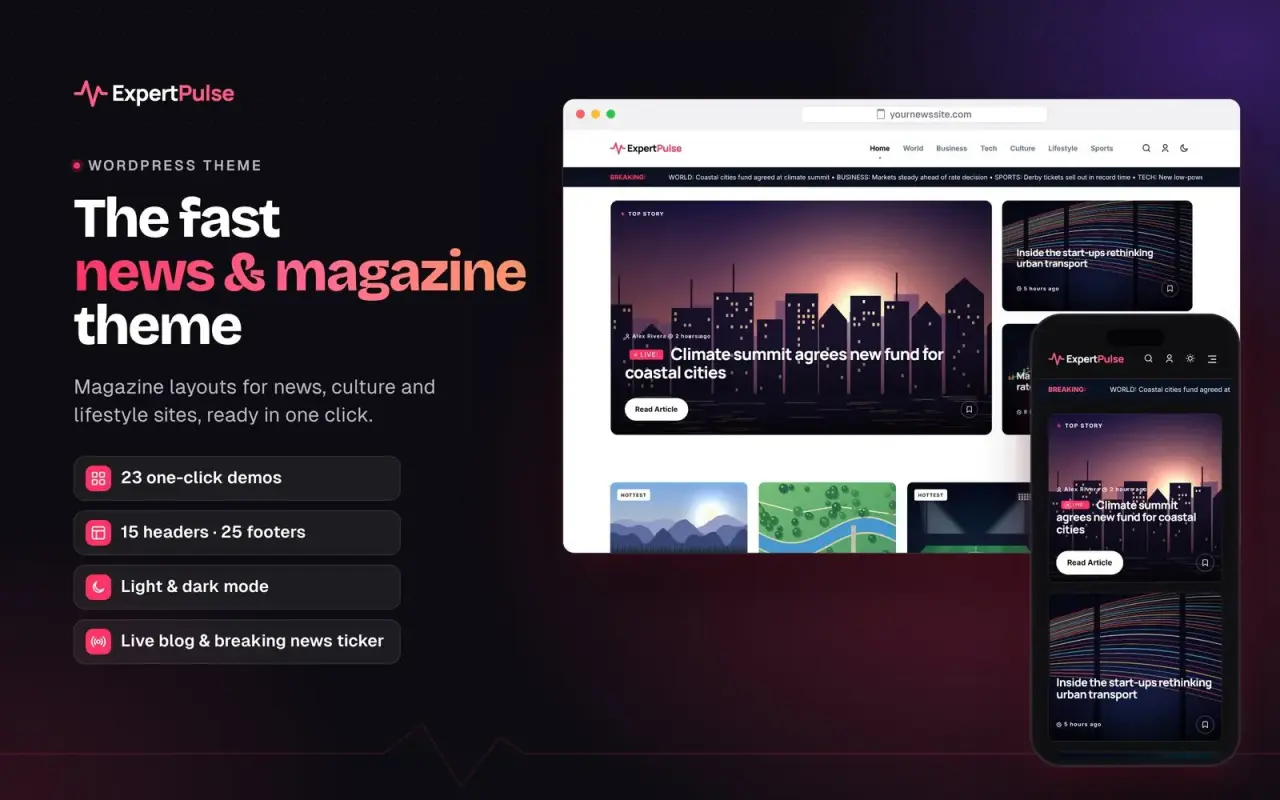
WordPress theme
ExpertPulse Premium WordPress Theme
- Version4.3.25
- Last updatedNovember 2, 2026
- LicenceLifetime — never needs renewing
- Updates & support6 months included, renewal optional
- Licence keyInstantly after payment
- PaymentCard or bank transfer
Overview
The news & magazine theme that’s ready the day you install it
ExpertPulse is a fast, modular WordPress theme for news sites, magazines, blogs, music and entertainment sites, podcasts and niche publishers. Pick one of 23 complete demos, import its design and sample articles in one click, then make it yours, all without writing code.
Why publishers choose ExpertPulse
- Launch in minutes. One-click demos bring the full design, menus, categories and sample articles with real photos. Changed your mind? Undo import removes exactly what was added.
- Built for speed. Self-hosted fonts (no Google Fonts requests), icons and styles loaded only where they’re needed, lazy-loaded embeds, and the ExpertWP Cache plugin included.
- Design it your way. Drag & drop builders for the homepage and the article page, plus a live preview of your changes before you save.
- Looks right in light and dark. Every layout has a light and a dark mode, and your brand colour flows through buttons, links, badges and forms automatically, with readable text on any colour.
Layouts for every kind of site
- 23 one-click demos: news, magazine, tech, business, sports, fashion, music, wellness, podcast, food, education, travel and more.
- 15 header styles, including sticky headers, a breaking news ticker, a date and market ticker, and mobile shortcuts.
- 25 footer styles with newsletter, menus and social links.
- 22 article layouts, plus a drag & drop article builder.
- Homepage blocks: hero grids, carousels, lists, video and podcast rows, trending lists and sidebars. Arrange them in any order.
Built-in features, no extra plugins needed
- Live blogging with timed updates and a live badge.
- Reviews with scores and Google rich snippets.
- Trending pages ranked by your most-read stories, one per category if you like.
- Audio player and “Stream on Digital Stores” buttons for Spotify, Apple Music, Audiomack and YouTube Music. Embeds load only when clicked, so pages stay fast.
- Visual tags with images, for artists, countries, teams or brands.
- Sports scores and league tables, and live markets for indices, currencies and crypto.
- Smart search with instant results and customisable popular topics.
- Reader tools: table of contents, reading progress bar, image lightbox, saved articles, social sharing and author boxes.
- Newsletter sign-ups, a contact form with spam protection, and an ad manager for header, in-article and sidebar slots.
- “Read also” boxes placed between paragraphs to keep readers on your site.
Easy to manage
- A clean settings dashboard with search, organised by Layout, Design and Features.
- One-click updates from your WordPress dashboard.
- Backup and restore all theme settings as a file, which is handy when moving to a new site.
- Recommended free ExpertWP 404 Page Monitor to catch broken links and redirect them.
Licence and support
- Lifetime licence: the theme keeps working forever on your licensed sites.
- 6 months of updates and support included. Renew any time to keep getting new features.
- Licences for 1, 3 or 5 sites. Test and staging sites don’t count.
- Add ExpertWP Cache at a discount when you buy together.
Requirements
- WordPress 6.2 or newer
- PHP 7.4 or newer (8.1+ recommended)
Changelog Latest 4.3.25
4.3.25 — Colours page warning fix
- Fixed: Theme Settings showed “Warning: Undefined variable $mobile … colors.php on line 90” at the top of the page on some servers. The Mobile Header Gradient End (Light / Dark) fields now appear under Colours › Mobile Header as intended.
4.3.24
Show/hide on every grid, live colour preview, true-to-life thumbnails, and header and footer fixes.
Homepage and archive builder
- New: Show on Cards in every grid block. Tick or untick Category, Author, Date, Reading Time, Views, Excerpt, Badges & Labels and Save Button. Each grid lists only the parts it has, and they work on every grid, also for stories added by Load More.
- New: block settings are grouped into Posts, Second Column, Section Heading, Show on Cards, Layout (Desktop), Mobile and Sidebar.
- Phone options appear only on the grids that use them, with plainer labels (Phone Layout, Excerpt on Phones). News-outlet names have been removed from the labels.
- No Duplicate Posts shows only on blocks that list posts.
- Block thumbnails in the builder, the block library and the page map are drawn from the real grids, so each one looks like the grid you get.
Thumbnails and dashboard
- Header Style thumbnails are drawn from the real headers: logo, menu, buttons, dark or coloured bars, two-row layouts, and edges such as waves, zigzags and stripes, each in its style's accent colour.
- Footer Layout thumbnails are drawn from the real footers in their real colours, including their patterned edges.
- Demo pictures on the Demos page and the dashboard are drawn from each demo's real homepage, for all 23 demos.
- The dashboard card shows a live miniature of your homepage.
Colours
- New: a sticky Live preview beside the colour fields. It shows your real homepage and updates as you pick a colour, with no page reload. It has Light/Dark, Desktop/Phone and Header/Content/Footer controls.
- Fixed: header styles with their own colours (Neon Tech, Arena, Soundwave) ignored Colours › Header. Their real colours now appear in the fields and can be changed. Default restores them.
- New: Header Gradient End and Mobile Header Gradient End (light and dark) fade the header into a second colour on any header style.
- New: Single Post › Accent Color › Custom has a Custom Second Color, so article gradients (reading bar, Post Comment) keep their gradient when you change them.
- The Soundwave look's gradients (pagination, Load More, archive header, now-playing card, menus) follow Header Gradient End.
Fixes
- Navigation Link Spacing now sets the space between menu links on every header style. 15 keeps each style's own spacing.
- Header Height now works on the two-row header styles (6, 7, Broadsheet, Runway) on desktop and phones. At the default 80px they look exactly as before.
- A Footer Logo you set (image or SVG) is now used when Footer Logo Source is Auto, instead of the header logo. In dark mode, a footer logo without a dark version falls back to the header's dark logo.
- The delete button on Trending pages, Custom Taxonomies and Visual Taxonomies rows no longer covers the field next to it.
4.3.23 — Link attributes (nofollow, sponsored, ugc), layout lock on phones, tidy mobile sub-menus and a customisable Google button
Link attributes (SEO)
- New: mark any link in an article as nofollow, sponsored (paid, ad or affiliate) or ugc (user-generated) right in the editor. In the block editor, put the cursor in a link and click the new Link attributes button in the toolbar: three switches with a short explanation each (the button is highlighted when a link has one). In the classic editor, the Insert/Edit link dialog has three new ticks under “Open link in a new tab”. Other rel values on the link (noopener, noreferrer) are kept.
- New: Theme Settings → Features → Link Attributes, in two clear cards. Editor controls: turn the editor button on or off and choose which of the three options it shows. Automatic rules for external links (off by default): add nofollow to links to other sites, open them in a new tab (always with rel="noopener"), and a Trusted Sites list of domains that are never changed. The rules work when the article is shown, so nothing in your posts is rewritten, and a choice made on a link in the editor always wins.
Layout lock: phones never scroll sideways
- The page can no longer get wider than the screen. A long footer menu, a wide embed or table, or a long word now wraps or scrolls inside its own box instead of pushing the whole layout sideways (sticky sidebars and share rails keep working).
- Fixed: a long footer menu (e.g. 10+ links in the Modern Editorial footer) made the whole site wider than the phone. Footer menus in every footer style now wrap neatly onto extra rows, centred on phones.
- Fixed: on small phones (320 px) a long “See all …” link next to a section title pushed the page wider (Tech, Voltage, Launchpad, Neon Play). It now moves under the title.
- Fixed: on phones, list cards with a short title (e.g. “Vasa – RRGA”) showed the title, time and author in the middle of the card instead of at the left like longer titles. Card text now always starts at the left edge.
- Wide tables in articles scroll sideways inside the article on phones; embeds and media never exceed the column.
- Checked on all 23 demos: home, article, category, search and 404 pages at 320, 390, 768 and 1024 px, also with very long menus in every menu position.
Mobile menu
- Fixed: in the Bottom Sheet (tiles) mobile menu, opening a menu item with sub-links stretched its tile very tall and laid the sub-links over the tiles below (e.g. Voxtrendy “All Songs”). The opened item now spans the row with its sub-links in a neat two-column panel joined to it, and the tiles below move down. Sub-links in every mobile menu style (Classic, Drawer, Editorial, Sheet) are evenly spaced, 44 px tall to tap, and wrap long names.
“Preferred on Google” button
- New: Theme Settings → Single Post → Button Text for the “Add as preferred on Google” button (e.g. “Prefer Voxtrendy on Google”). Empty keeps the default.
- More breathing room: the button now sits 20–40 px below the author and share row in every single style and on all 23 demos (it touched the share buttons, e.g. Sports, Capital Review, Launchpad, Saveur), and on dark headers (hero and Episode styles) it is a light-on-dark pill whose text is readable (it was white on white).
4.3.22 — Working header buttons, PodWave player, Reading bar, header menus and smoother demo installs
Demos that work out of the box
- Header buttons work on every demo. “Subscribe”, “Join Free”, “Get the Newsletter” and similar open a sleek newsletter sign-up pop-up (any page, light and dark mode, keyboard and screen-reader friendly). Other buttons go where their text says: “Live Scores” → your scores page, “Watch Live” / “Breaking” → the latest live post, “Pitch Us” → the contact page, “Watchlist” → saved articles, “Listen Now” → the newest episode or track with audio, “Get Recipes” / “Start Learning” → your top category. Choose another action or a custom link, and the pop-up heading and text, in Header: Desktop → Button Action.
- Fixed: after switching from the Sports demo, other demos’ header button (e.g. Wellbeing’s “Join Free”) still opened the live scores page.
- PodWave / Episode pages are functional. The waveform under the title plays and seeks the episode when the post has an MP3 in the Audio Player box: play/pause, elapsed / total time, click or arrow keys to seek, and the cover’s play badge plays and pauses too. Without an MP3 the waveform fills as the show notes are read and no fake play button is shown. It drives the article’s own audio player: nothing extra is loaded, and the audio downloads only when Play is pressed.
- Fixed: a demo install could stay on “Photos 8 of 50” for good when the server stopped in the middle of a photo (PHP time limit or memory, a broken image, a slow connection). Each try is now remembered, photos go one by one after a failed try, a photo that fails three times is skipped, and photos that make no progress for 10 minutes are left for “Get real photos”. The install always finishes and says if photos were skipped.
Reading bar
- Sleeker “Reading:” bar (Music Review, Split Hero, Episode, Issue, Marquee and Dot styles): when it slides in, the site header, shortcut bar and page progress line slide away, so there is one clean bar and one progress line instead of two stacked bars. Shows minutes left (“3 min left”, then “Finished”), a glowing progress line, bigger share buttons and readable colours in light and dark mode.
- Sticky share rails sit just below the bar, also when logged in with the admin bar (it covered the “Share” label, e.g. on Noir Screen).
- New switches in Theme Settings → Single Post → Reading bar: Show Reading Bar, Hide Header While Reading, Show Minutes Left (all on by default).
Settings
- Choose the header menus in Theme Settings: Header: Desktop → Desktop Header Menu and Header: Mobile → Mobile Menu pick any menu directly, so phones can show a shorter menu than the desktop header. Left empty, Appearance → Menus is used as before, plus a new optional Mobile Menu location.
- Theme Settings keep your place: after “Save changes” or a browser refresh you stay on the same section (e.g. Logos → Header Logo — Dark Mode) at the same scroll position.
- Footer brand name matches the header: when a footer shows the site name as text, it uses the header text logo’s font, weight and accent dot. Footer → Brand Text Style switches back to the footer style’s own lettering.
Ads
- Fixed: sidebar ads showed up to three labels (widget heading, the ad’s own label and the image’s alt text). Now there is one, taken from the ad’s Show label / Label text (e.g. “Advertisement” or “Sponsored”); turn it off there to show none. Empty ad boxes are no longer printed, a banner whose image fails to load hides its whole slot, and image ads use the ad’s title as alt text.
Fixes and accessibility
- Fixed: on the classic single styles (1–4) the sticky share bar slid under the header and shortcut bar, hiding Facebook (more when logged in). It now stops just below them.
- Fixed: a saved article in the Gallery Wall / Catalogue list (e.g. Dotline “Most Talked About”) showed an empty white circle (white icon on white). Saved items show a filled accent circle with a readable icon, also on Journal cards.
- Fixed: the “Live Updates” tag on dark Episode and hero headers was red on dark purple; now a light red that passes 4.5:1.
- Fixed: the audio player stylesheet was cut off at the end, so its phone layout did not apply and the download button label could be dark on orange. The volume slider is hidden on phones, which use their own volume buttons.
- Newsletter success and error messages use readable colours (they could be light green on white).
4.3.21 — Telegram auto-post, demo installer, faster pages, better accessibility
- New demo installer: “Install” on a demo opens a short dialog: the design (header, footer, fonts, colours, homepage) is always installed, and the demo’s sample posts are optional (posts, categories, menus, pages and a photo per post). The install runs on the server, so closing or reloading the page doesn’t stop it; reopen the Demo Switcher to see the progress.
- Fixed: “Get real photos” in the Demo Switcher came back with the same number after it ran: posts in categories with “&” in the name (e.g. Live & Tours) never found a photo, and later posts of a big import gave up after one try. Photos are now found for them (from the demo’s other categories if needed), and when none are left the row says so instead of showing the button again.
- Demo photos download 8 at a time, so demo content installs much faster.
- Fixed: with the shortcut bar shown on desktop (e.g. Dotline), the sticky share rail and sticky sidebars slid under it and lost their top (“Share” label). They now stop below the header, the shortcut bar and the admin bar.
- Fixed: the sticky share rail on single posts now stops at the end of the article instead of following you down through the related posts and comments.
- Fixed: Dotline comment cards had no inner padding (the name and text touched the frame).
- Contrast checked on all 23 demos (home, category and single pages, phone and desktop, light and dark mode): text, buttons, labels and icons now pass WCAG AA 4.5:1.
- Contrast fixes (Dotline and all demos):
- Each demo's accent is used in two tones automatically: a readable tone for small text and links on light pages and cards, and the bright tone on dark panels, heroes and in dark mode. Labels on accent buttons are white or near-black, whichever reads better.
- Dark-mode link colour is set automatically when the light one would be too dark on the dark page.
- Fixed per demo: News opinion author names in dark mode, Tech live tag on the dark hero, Wellness and Daily Dot hero buttons, Saveur recipe stamps and Comment button, Inbox issue strip, category tag and share label, Neon Play buttons, tags and newsletter button, Bright Minds quote box and Load more, Encore and PodWave header buttons in dark mode, Headline Hub lead category tap area.
- On phones, the search and dark-mode icons next to the menu button were white on a white header in some demos (e.g. Dotline). They now take a readable colour automatically (dark on light headers, white in dark mode).
- Buttons with white text on a light accent (e.g. pink Subscribe buttons) use the same accent a shade deeper, so the text passes 4.5:1 in light and dark mode. Your own button colours are left as they are.
- Small accent-coloured labels on light pages (current shortcut, “Previous article”, Gallery Wall and Catalogue labels, read counts) use the readable accent tone.
- Grey meta text in articles and grids (date, reading time, “By”, “Share”) is a little darker; the Gallery Label footer copyright too.
- Facebook share button label: a slightly deeper blue.
- Author photo links are skipped by screen readers (the name link next to them is used), and the author’s social icons have names.
- Fixed: the “Live Updates” tag now sits on the same line as the category on every single style (it was pushed down on phones, e.g. in Atelier).
- New: Telegram (Theme Settings → Telegram).
- Auto-post: connect a bot (from @BotFather, added to your channel as admin) and every new article is sent to your channel once, when it is first published (scheduled posts too): bold title, short excerpt, hashtags and a “Read more” button, with a large link preview or the featured image. Sent in the background, so publishing stays instant. Tick or untick “Send to Telegram” per post, “Send again” after an update, skip categories, send silently. The bot token is stored encrypted and is not part of settings exports. Can reuse the bot from WP Telegram in one click.
- Follow box in articles: a minimal “Follow us on Telegram” card with the subscriber count, in three designs (Card, Soft, Line), before the article, after a paragraph or at the end, or anywhere with
[ep_telegram]. One link, 44 px tap height, AA contrast in light and dark mode, no extra file to load. Hide it per post or per category.
- Fixed: words in links inside articles (the “Read also” box, cards) were split mid-word on phones; long URLs still wrap.
- Small icon set everywhere: 19 KB instead of the full 140 KB font + 120 KB stylesheet, now also when ExpertWP Cache "Combine CSS" is on.
- Fixed: with the small icon set, demos with their own icon style (Encore, PodWave, Travel, Tech, Sports, Wellness) showed no dark-mode moon on phones and lost some other icons (user, calendar, timer). Those icons are now in the small set (20 KB).
- Fixed: icons no longer stay hidden while their font loads (font-display: swap), which made PageSpeed Insights show no performance score (NO_LCP) on some sites.
- Right-sized logos and carousel images: logos, footer logos and taxonomy carousel pictures (countries, artists, genres) get width/height and a small copy for their display size, also when they were saved under another address of the site (old domain, http/https). Less to download, and no layout shift.
- Bigger tap area in the mobile shortcut bar (news style): each link is now 34 px tall; the bar keeps the same height.
- Bigger tap areas in grids: the Quad Grid slider dots are 24 × 24 px to tap (they look the same), and the author link on featured cards is 24 px tall. Fixes "Touch targets do not have sufficient size or spacing" in PageSpeed Insights.
- ExpertWP Cache 2.0.9 comes with the theme: Cloudflare page caching (connect with an API token, pages served from Cloudflare worldwide and emptied automatically when content changes) and Tools → Reset settings.
4.3.20 — Original demo identity, social styles, faster pages and browser colour
Updates after support ends
- Your ExpertPulse licence is lifetime: theme updates keep installing after the support period ends. Only help from our developers needs a renewal.
Demos
- Real screenshots in the Demo Switcher: each demo card shows a picture of its live demo (optimised WebP, sharp on high-resolution screens). The drawn preview stays as the fallback.
- Music demo renamed to Encore, with a new vinyl-record logo. Sites on the music demo switch automatically, unless the brand name was changed.
- New footer texts for Dotline, Daily Dot, Headline Hub, Launchpad and Neon Play (applied automatically unless the footer text was edited).
- Gallery Label footer (Dotline): an "About" heading with a three-dot mark above the site description; social icons in round outlines that fill with the accent on hover.
- Dotline and Atelier show their social links in the footer instead of the sidebar.
New grid: Catalogue Index (Arts · Trending)
- Most-read stories laid out like an exhibition catalogue: outlined numbers, framed thumbnails, read counts and a "heat" line. Dotline uses it for Most Talked About; available for any homepage block.
Social links
- Sidebar Social Style (Theme Settings → Social Networks): As the demo sets it, Icon Grid, Follow Card or Minimal Tiles.
- Follower Counts moved to Theme Settings → Social Networks.
- Before links are added, admins see sample social icons in the sidebar and footers. Visitors only see real links.
Mobile
- No "More" button on phones: links grouped under "More" are listed directly in the mobile menu.
- Header spacing fixed on phones for the Runway (Dotline, Atelier) and Broadsheet (Capital Review, Daily Dot) headers.
Browser colour
- Theme Settings → Styling → Browser Colour: the phone address bar in your Primary Accent, the header colour or a custom colour. Follows dark mode.
- Accent-coloured form controls: checkboxes, radio buttons and sliders use the Primary Accent.
Accessibility
- Icon-only links and buttons (social icons, Subscribe, search, close, menu, bookmark) now have names for screen readers.
- Post images without alt text use the post title.
- Headings follow the page order in the Trending sidebar and author box; embedded players have titles.
- Better contrast on the Spotify and YouTube buttons and the footer subscribe text.
Speed
- Lighter icons: pages with comments and other common icons no longer load the full 140 KB icon font.
- ExpertWP Cache 2.0.10 comes with the theme; new versions show up as soon as you open the Plugins or Updates screen.
4.3.19 — Current date that stays current with page caching
- Update the date in the browser (on by default): with Force Current Date/Time for SEO on, a tiny script writes today's date into the post as it opens, even when the page comes from the cache.
- Cached copies of these posts: refresh every 15 minutes, 30 minutes (default), 1 hour or 3 hours, the normal cache, or don't cache them. Works with ExpertWP Cache 2.0.7+, NGINX FastCGI cache and LiteSpeed.
- Fixed: the forced date was off by the site's time-zone offset.
4.3.18 — ExpertWP Cache 2.0.4
- ExpertWP Cache 2.0.4 now comes with the theme. It checks for new versions on its own, offers updates during the free trial too, and shows a clean update notice.
- Sites on ExpertWP Cache 2.0.0–2.0.3 without a licence key are offered 2.0.4 as a normal plugin update.
4.3.17 — Updates show up on their own
- New versions appear automatically: the theme checks every hour, and again when you open the dashboard, without slowing the page. No more clicking Check now.
- A cleaner update notice with the new version, your version, Update now and What's new. Dismissing it hides it until the next version.
4.3.16 — ExpertWP Cache with a 14-day free trial
- ExpertWP Cache 2.0.3 now comes with the theme (was 1.9.9), with the new Cache menu in the toolbar: clear everything or just one page without leaving it.
- 14-day free trial: Theme Settings → System → Optimization now says Install & start free trial. No card or licence key needed.
- Licence status in the panel: days left in the trial, Trial ended · caching is paused, Licence ended or Licensed, with Buy a licence and Enter licence key buttons.
- Update for older copies: sites on ExpertWP Cache 1.x are offered the new version as a normal plugin update. Your cache settings are kept.
- ExpertWP Cache is sold separately, so the panel and the dashboard reminder no longer say it is included.
- Fixed: a raw setting name ("webp_max_kb") in the recommended settings list now reads "Size limit for large images".
4.3.15 — Smaller theme
- About 4 MB smaller download: unused font copies removed and a lighter theme screenshot. Nothing changes on your site.
4.3.14 — Demo content and the 404 plugin from expertwp.io
- Demo content from expertwp.io: demo imports download the latest articles and real photos from expertwp.io. If expertwp.io can't be reached, the articles that come with the theme are used.
- View live demo link on every demo card.
- ExpertWP 404 Page Monitor installs from wordpress.org or expertwp.io (no longer bundled), with one-click updates.
4.3.13 — Backup and restore with files
- Download a backup of all theme settings as a .json file, and import a backup file by choosing it or dropping it on the page. Copy the JSON in one click.
4.3.12 — Single Post settings reorganised
- Six clear pages: Layout, Article Features, Title & Tags, Music & Audio, Read Also Box, SEO & Dates.
- Layout shows only the options for the layout you pick. Fixed an empty settings page after switching layout.
4.3.11 — Drag & Drop builder inside Single Post › Layout
- The builder's page blocks and sidebar appear right under the layout choice instead of in separate sub-menus.
4.3.10 — Digital Stores heading options
- Choose the heading text, heading style (or no heading) and letter case of the “Stream on Digital Stores” box.
4.3.9 — Comment box spacing
- Fixed: on the boxed layout the Post Comment button touched the bottom edge of the comments card.
4.3.8 — Colours that follow your settings
- Your accent colour everywhere: comment form, Subscribe button, back-to-top button, drop cap, links, Read Also box, search overlay, progress bar and more. Text on coloured buttons switches to dark or light automatically.
- New Colours pages in Theme Settings (comments, Read Also, search overlay, newsletter, footer). Every new colour follows your accent until you change it.
- Search options: show or hide Popular Topics, its title, number and source (top tags, categories or your own links); custom search label and placeholder.
- Comment form tidied up (no empty card when there are no comments, styled checkbox). Settings imported from older versions now load correctly.
4.3.7 — One-click updates and demo import
- One-click updates from expertwp.io (Dashboard → Updates or auto-updates), with “View version details”.
- Import demo content and Undo import for every demo.
- 12 new Studio demos, 14 new footer layouts, demo skins for archive, search and 404 pages, image corner styles, image preview (lightbox), matching submenus, demo icon sets and many layout fixes.
1 review
I recently purchased the Expertpulse theme, and I can confidently say it is one of the best investments I’ve made for my website. If you are a blogger looking to elevate your site to a professional level, look no further. This theme is nothing short of incredible.
Packed with Essential Features: It literally has every single quality feature a modern blog needs out of the box. You don’t have to spend hours searching for third-party plugins to get the functionality you want; Expertpulse anticipates exactly what a blogger requires.
Stunning Design: The aesthetics are clean, modern, and highly engaging. It makes your content pop and keeps readers on the page longer.
Thanks Expertpulse theme for offering this impressive affordable wordpress theme.
Reviews are written by customers. Sign in to review a product you bought.